

As we enter another year, record money will be spent on health and wellness. Gym memberships will surge and diet spending will soar as people tackle their New Year resolutions. But what about the health of your clients’ power systems? Have you taken steps to ensure their power management and, perhaps more importantly, their power protection are operating at peak efficiency and performance?
Uninterruptible Power Supplies (UPS) are a foundational element of modern audio-visual, security and IT environments. Whether protecting a home theater, equipment rack, security system or entire data center, a UPS is often the last line of defense between stable operations and costly downtime. Yet many UPS failures occur not because of poor design, but because of preventable maintenance and environmental issues.
This article outlines practical, field-proven strategies for maximizing UPS health—helping organizations extend service life, maintain runtime performance and ensure dependable operation when power events occur.
>
1. Perform Regular Onsite Inspections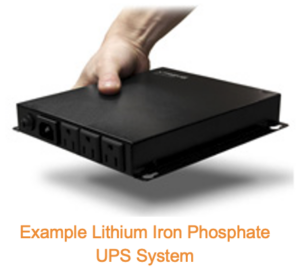
UPS systems are electrical and mechanical devices that benefit from routine inspection, and preventive maintenance significantly reduces the likelihood of unexpected UPS failures during actual power events.
Over time, batteries degrade due to heat, age and charging cycles. Granted, older battery technology such as lead acid is much more prone to degradation compared to optimized lithium iron phosphate; however, regular inspections will ensure battery failure doesn’t go unnoticed.
Best practices:
- Perform an onsite visual inspection. Look for swelling batteries, corrosion, dust buildup and loose connections.
- Measure actual performance. Verify batteries are maintaining proper voltage, internal resistance and charging and float levels.
- Update firmware. Manufacturers periodically release firmware updates that improve performance, compatibility and/or fault handling. Make sure all equipment is up-to-date.
>
2. Inspect the Operating Environment
Environmental conditions are one of the most overlooked contributors to UPS degradation. Dust, debris and restricted airflow can significantly reduce UPS efficiency and shorten component lifespan. UPS systems generate heat, and poor ventilation decreases the life of internal electronics and batteries.
The overall best practice is to install UPS systems in climate-controlled spaces with consistent airflow and temperatures maintained within manufacturer guidelines; however, not all installations allow for this level of control and regular inspection is recommended.
Best practices:
- Measure temperature and humidity. Verify the ambient temperature is within equipment specification, as every 18°F (10°C) increase above the recommended operating temperature can cut battery life in half. Additionally, excess humidity can promote corrosion, while extremely dry environments increase static discharge risks.
- Verify airflow. Blocked vents and poor rack airflow cause localized hot spots that accelerate aging of internal components. Keep air intakes and exhausts clear, clean filters and vents regularly.
>
3. Prioritize Battery Health Under Load
Batteries are the most failure-prone component of any UPS and require proactive management. Many UPS systems fail not because they are broken, but because they are undersized or improperly loaded. Regular load testing confirms that your UPS will support connected equipment during an outage and deliver the expected runtime — making this the single most critical maintenance area.
Best practices:
- Ensure systems are optimized. Identify overloaded or underutilized UPS equipment. A properly sized UPS typically operates at 40–70% load under normal conditions, providing an optimal balance of efficiency and longevity.
- Test under real conditions. Verify runtime performance under real conditions to ensure proper backup during a power event.
- Replace batteries proactively. Do not wait for end-of-life alarms. Lead acid batteries should typically be replaced every 2–3 years, whereas lithium iron phosphate batteries provide a longer life of 8 – 10 years.
- Use matched battery sets. Mixing old and new batteries in the same UPS can cause uneven charging and premature failures.
>
4. Inspect the Electrical Connections
Loose or degraded electrical connections can cause inefficiency, overheating and unexpected failures. Over time, vibration and thermal cycling can loosen terminations inside the UPS, to battery cabinets and ultimately to the actual broader grid.
Best practices:
- Verify electrical connections. First, look for visible discoloration, corrosion and/or heat damage. Second, hand torque actual connections to ensure their tight.
- Verify grounding. Ensure ground connections are similarly intact.
- Verify the broader electrical environment. Check breakers, fuses and terminals for proper operation.
>
5. Monitor, Don’t Guess
Many UPS systems offer extensive monitoring capabilities that should be actively used. Consistent monitoring turns UPS maintenance from a reactive process into a predictive one.
Best practices:
- Enable alerts and logging. Alerts monitor input/output voltage, load levels, internal temperature and battery condition.
- Monitor and analyze trends. Logged trends show gradual changes in runtime or battery impedance often indicating issues before alarms are triggered.
- Integrate with management platforms. When possible, tie the UPS and its monitoring into the network or building management system to improve visibility and response times.
>
6. Perform Regular Preventative Maintenance
The most effective way to extend UPS lifespan and efficiency is through professional preventive maintenance. UPS systems are electrical and mechanical devices that benefit from routine inspection, and preventive maintenance significantly reduces the likelihood of unexpected UPS failures during actual power events.
A well-maintained UPS system has a longer lifespan, operates more efficiently, reduces downtime risk and ultimately better protects critical equipment while lowering the total cost of system ownership.
Future Ready Solutions offers a comprehensive line of UPS solutions from Xtreme Power Conversion. Our team will help you choose the proper solution based on your application and environment. Contact us for more information.